
What it costs and how long it takes — visible before you pick a date
August 16, 2026
Screenshots show the Russian-language interface.
The first post about client booking was about what the pro sees. This one is about what their client sees at the same moment, having opened the booking link.
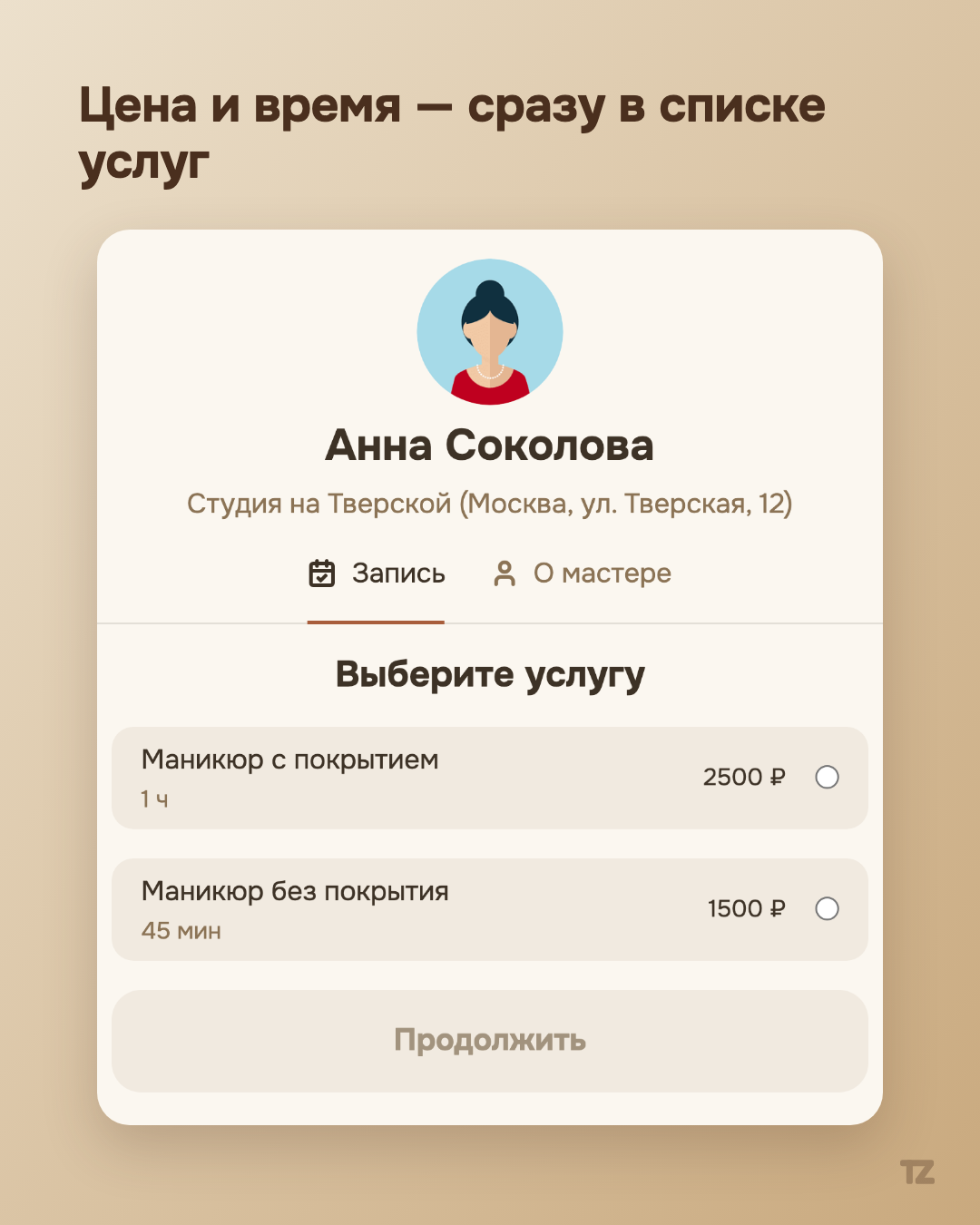
Price and time — on the service selection screen, not “DM me, I’ll work it out”
The client opens the booking page and the first thing they see isn’t a form with ten fields, but a list of services — and each one shows its price and duration right away. There’s no need to message the pro to find out the cost and wait for a reply: for example, “Manicure without polish” — ₽1,500, 45 minutes — is visible before the client has even opened the calendar. The client decides whether to book with the full picture up front, not after several messages back and forth.
Saturday is a regular working day, if the pro decides so
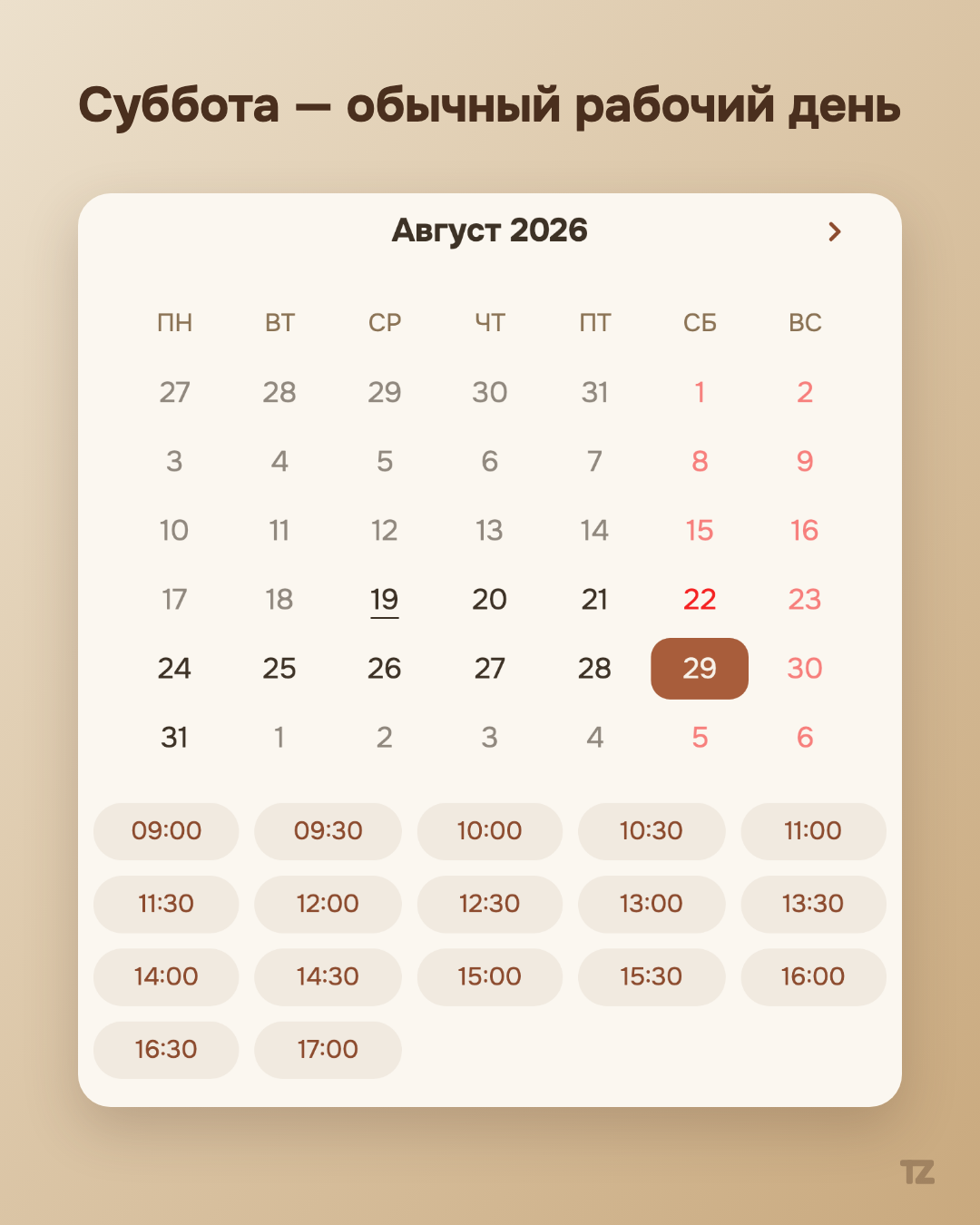
The second fact about this same flow: a pro’s schedule doesn’t have to be limited to weekdays. If a pro has added Saturday to their working schedule, booking for the weekend goes through the same screen just as smoothly as for weekdays — with no separate form, call, or clarifying “are you sure you work on Saturday?” The client simply sees the available slots for the day they need, whatever day of the week it is.
A returning client is part of this picture too
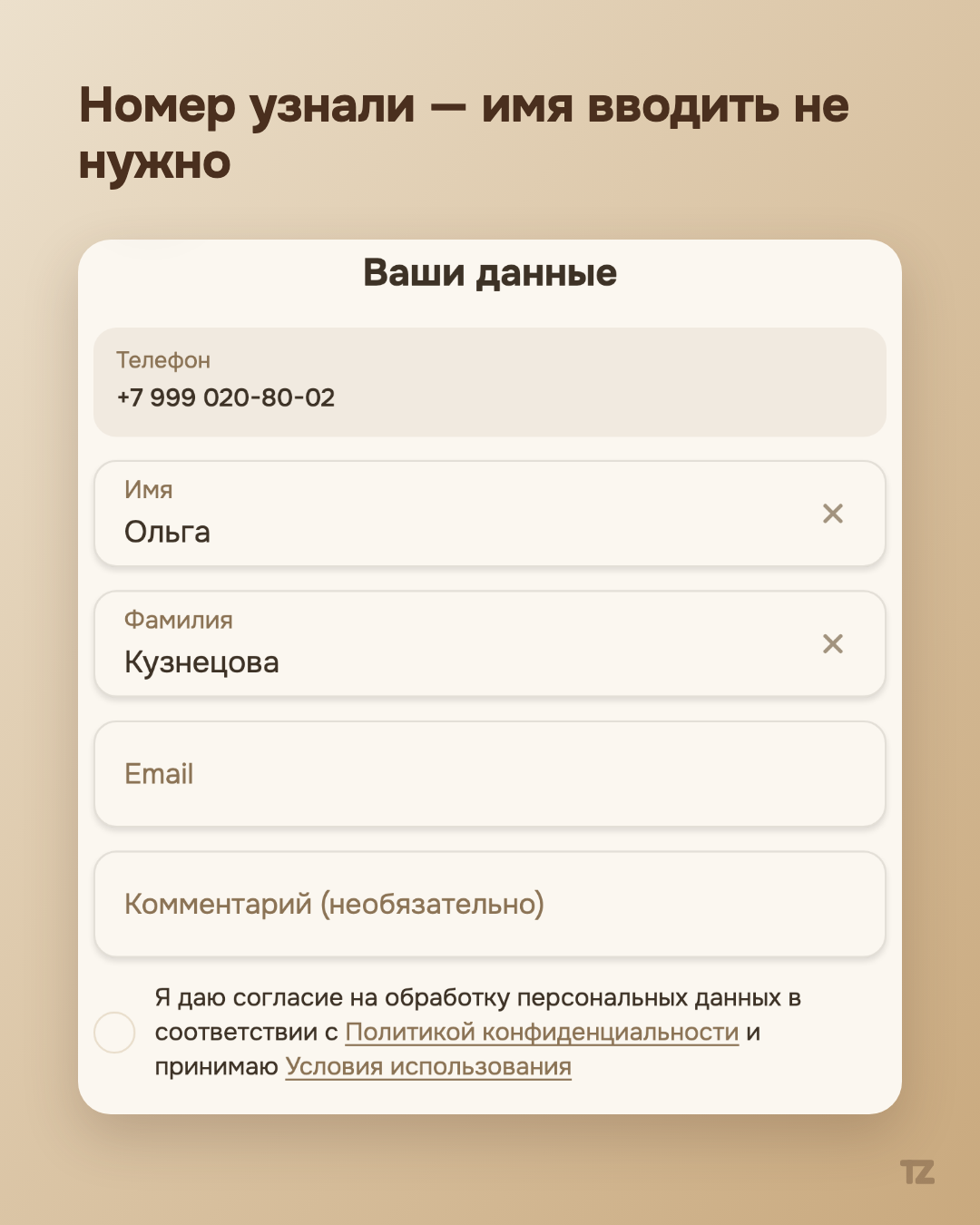
If a person has booked with this pro before, Talenza recognizes them by phone number on this same screen: there’s no need to enter the first and last name again, just pick a new date. This isn’t a separate feature for the sake of this post — it’s the same principle we’ve already described in the article about what Talenza does for the pro, only seen from the client’s side rather than the pro’s.
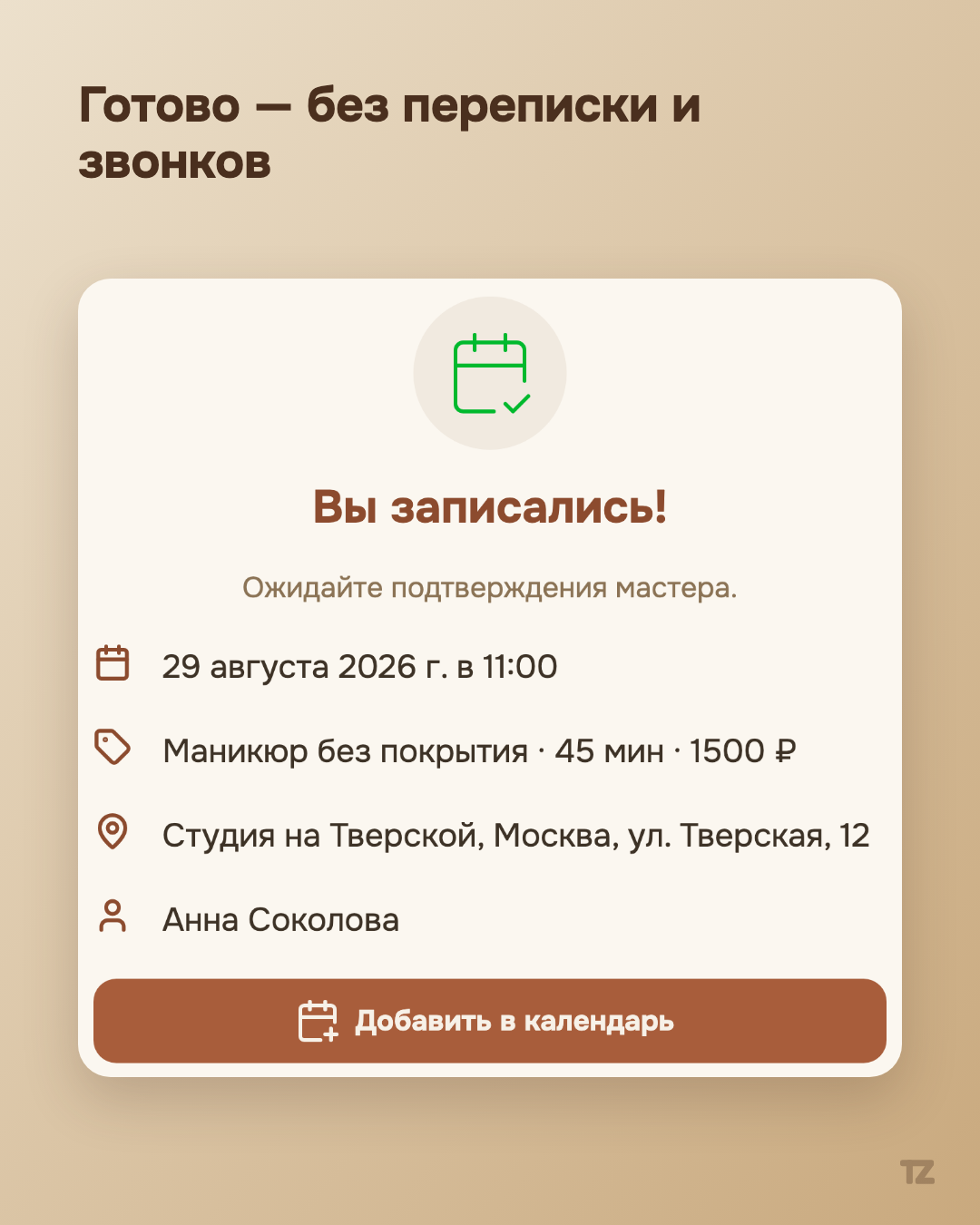
One scenario, two points of view
The booking flow has two sides, and both are designed so that a decision takes fewer steps and fewer clarifications: the pro gets a confirmed booking without chatting, and the client gets a clear price, an available date, and recognition from the first screen, instead of a form they have to fill in again at every visit.