
Prepayment for online booking: take part of the cost upfront
November 13, 2026
Screenshots show the Russian-language interface.

Prepayment for a booking is when the client pays part of the cost upfront, and you take them into your schedule on more than trust. In Talenza this is a built-in feature: you set the conditions — a fixed amount or a percentage, which services and for whom — and the money goes straight to you, into your YooMoney wallet or YooKassa store. Talenza does not process the payments and takes no commission. Let’s look at how to set up prepayment your way and what the client will see.
Why take a prepayment at all
A no-show is not “the client got held up” for a master — it is a slot you will not get back: an hour of work you can neither sell nor move. Prepayment solves this calmly and without unpleasant conversations: a client who has paid part of the cost shows up noticeably more willingly, and if they don’t, you are not left with an empty schedule.
While the prepayment is not paid, the time stays held by the booking: the slot does not go to the next client while you decide the fate of the reservation. So prepayment is not a penalty but a filter for seriousness at the entrance. Practical reasons to start using it — expensive and long services, new clients, and days when every slot counts. The same principle underlies the booking rules — prepayment simply gives the rules weight.
What to set up on your side
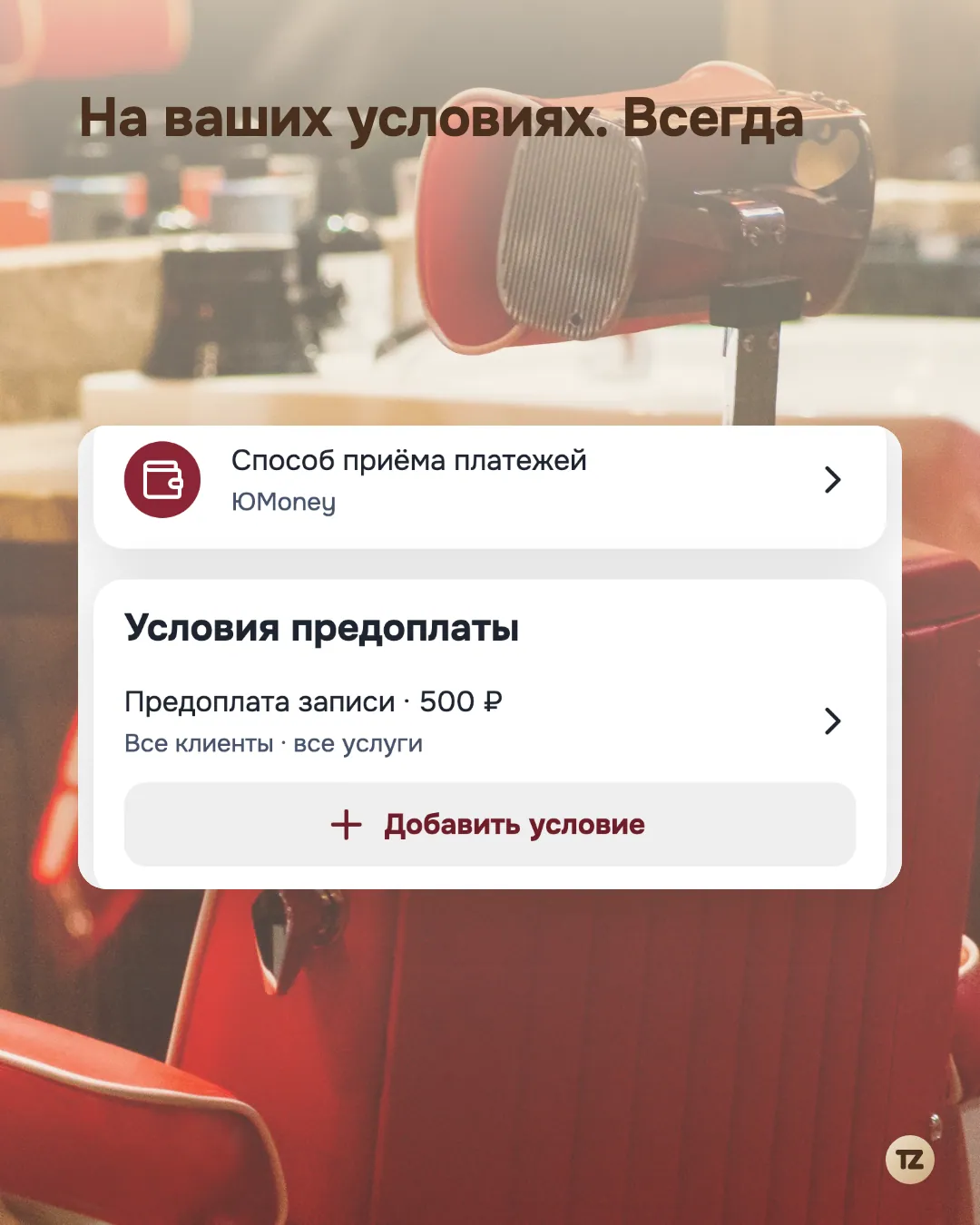
Everything lives in “Settings” → “Prepayment”. The order is simple:
- Choose how to accept payments: a YooMoney wallet (works for any master, card payments) or your own YooKassa store (card, SBP, and SberPay — for self-employed and sole proprietors, with receipts if a cash register is connected). The methods are mutually exclusive, but the credentials are stored — you can switch without re-entering them.
- Add a condition: a fixed amount in rubles or a percentage of the cost, for all services or selected ones, for all clients, only for new ones, or for a list of contacts. If several conditions match, the largest amount applies.
- Set deadlines: for example, “within a day after booking” and “no later than an hour before the start”. Deadlines can be changed — existing bookings are not broken: the amount and conditions in them stay as they were at the time of booking.
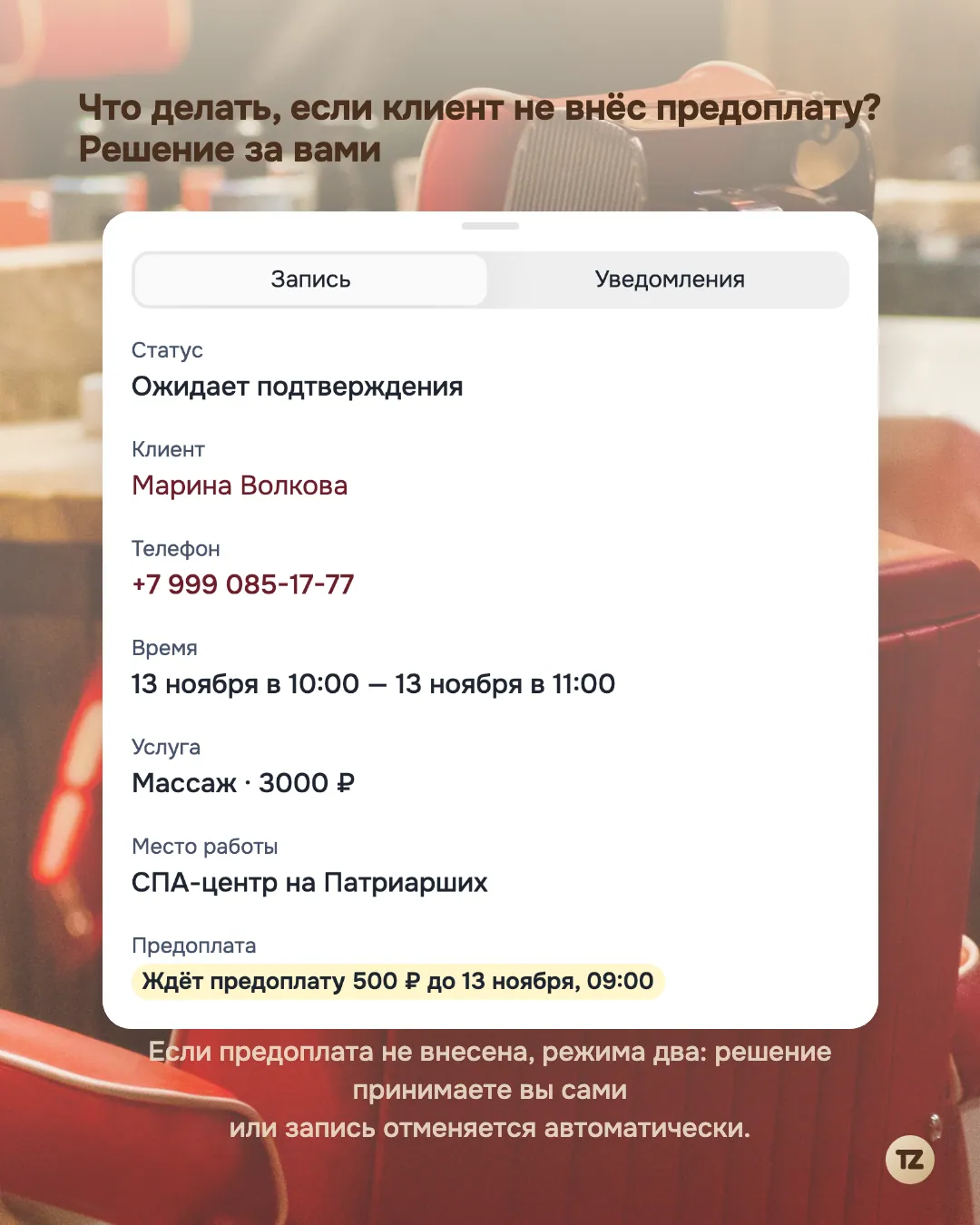
- Decide what to do with an unpaid prepayment by the deadline. By default you simply get a notification: the time keeps being held until you cancel the booking or give more time. With one switch the booking will cancel itself.
Without a connected wallet you can still record a prepayment manually — a field in the client’s booking form, the amount and method: cash or transfer.
What the client will see
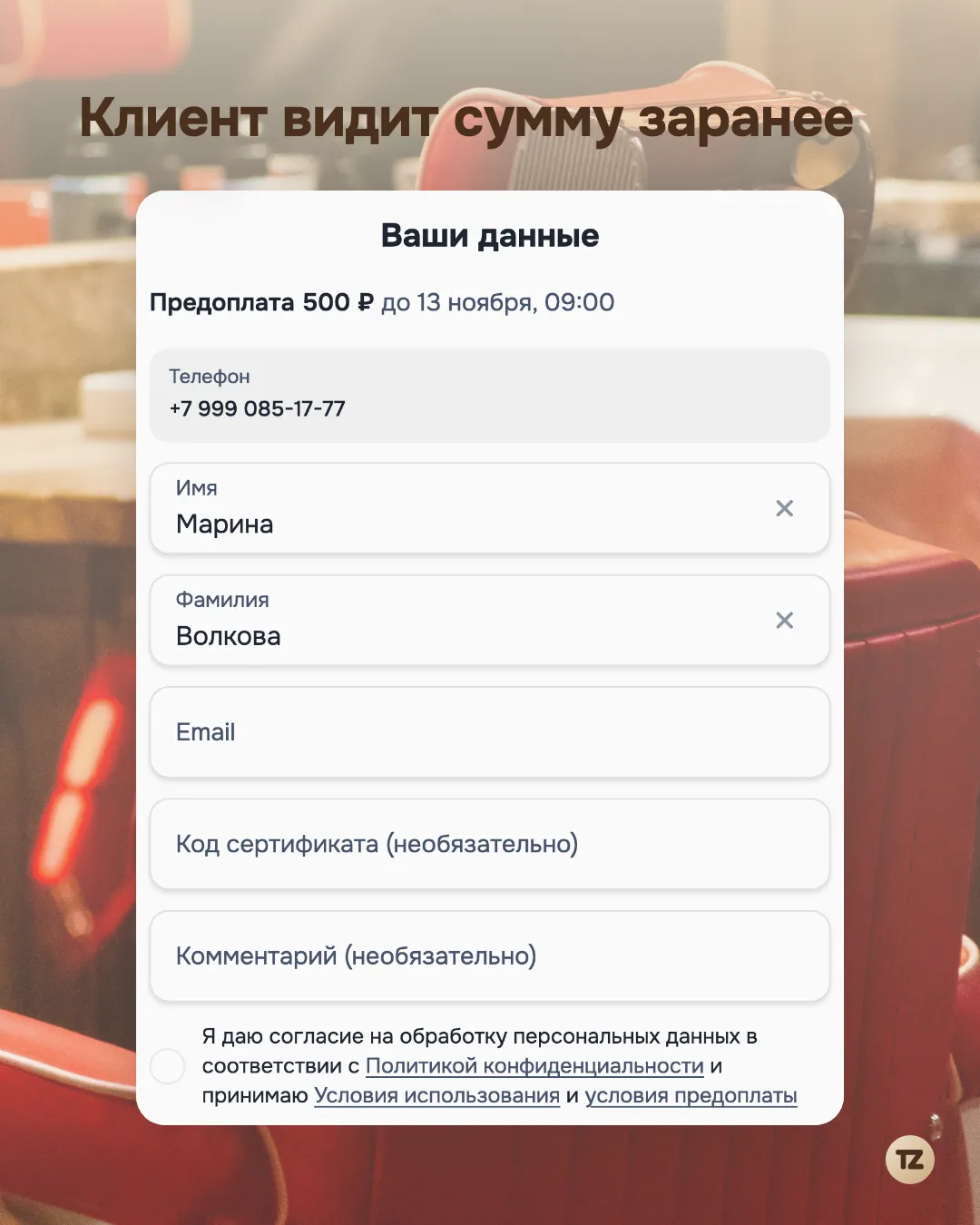
The client sees the money before the booking, not after: if a condition matches, the amount appears in the booking form, next to the service and the total. We do not show prepayment in the price list — it only appears in the booking, together with the offer opened by the link.
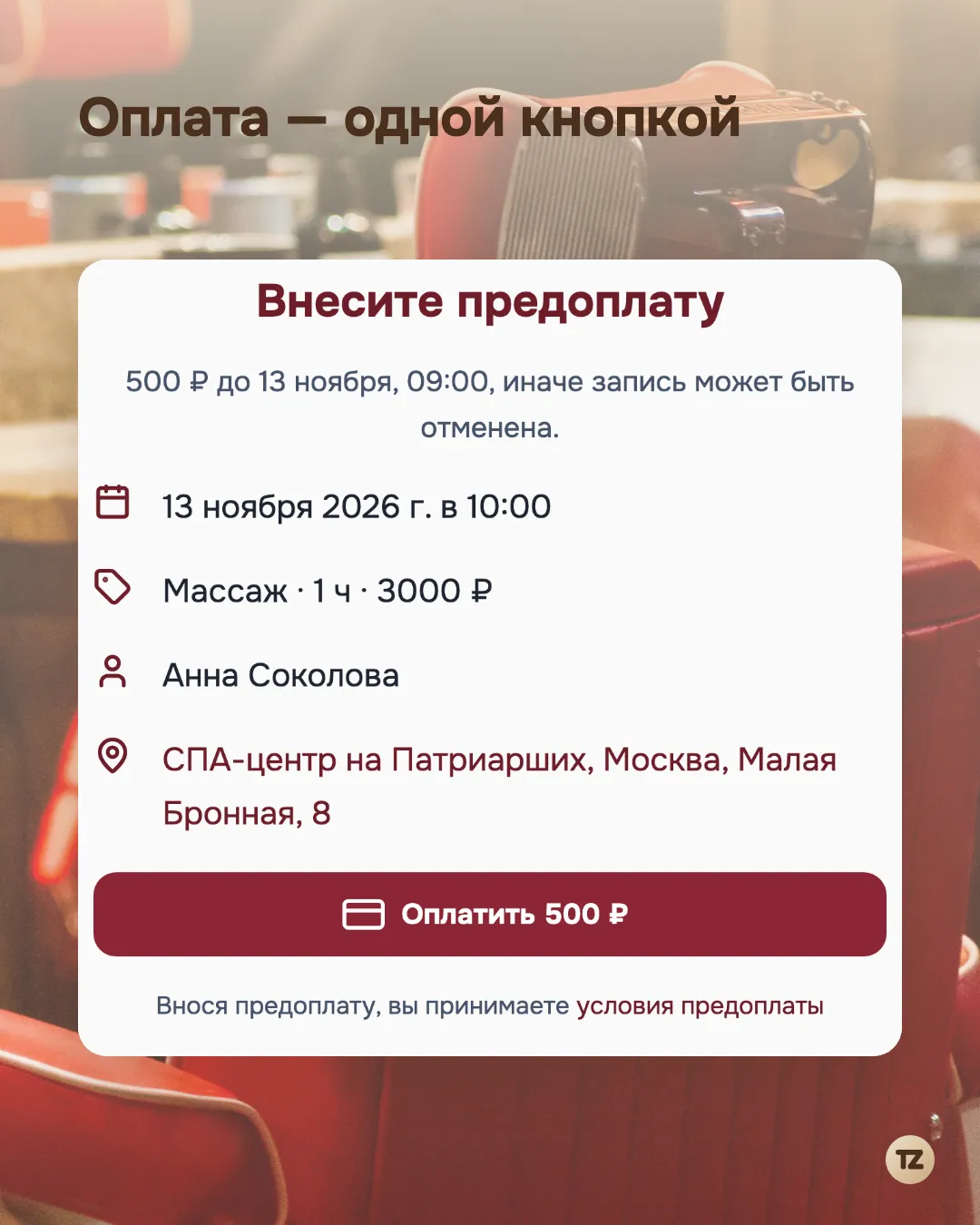
Payment is a single “Pay” button on the booking page: the client goes to the YooMoney or YooKassa form, pays, and comes back. Payment confirms the booking right away — no separate “confirm” after the money.
Missed the deadline — you get a notification, and the fate of the booking is yours: wait, cancel, or mark the payment manually if the client paid in person. There are two modes: the decision is yours, or the booking cancels itself — which one to choose depends on how expensive every slot is for you.
If the client changes their mind after paying, the booking card has a “Refund” button. For YooKassa the refund goes with the same press — through your store, per payment. YooMoney has no automatic refund: you send the money back yourself and mark in the booking that the money was returned.
Money, receipts, and the limits of the feature
The main thing to remember: Talenza is not a middleman in payments. The money goes from the client’s wallet or store straight to you, it does not pass through us, and Talenza takes no commission. The payment service will keep its own commission, and receipts and taxes are yours, as they are now: the interface warns about this when you connect. Both documents — “Prepayment terms” for the client and “Terms of accepting prepayment” for you — live in the settings and are available by a link.
For now the feature does not apply to group classes and booking series — prepayment is not used for them.
If no-shows start eating your schedule again, start with a single condition for the riskiest service — the setup takes a few minutes, and the detailed YooMoney help and YooKassa help walk you through every step.
«Группы заполняются сами» — Олена Д., фитнес-тренер
Start free