
Work schedule by dates: planning that fits your real week
November 4, 2026
Screenshots show the Russian-language interface.

A weekly schedule is the most honest model of a work week right up until the first week that goes off-script. Monday is a shift at the studio, Tuesday starts with a wedding, Thursday is a sick day, and Saturday you decided to keep for yourself. The weekly template knows none of this: it faithfully repeats the same week, and everything that falls outside it has to be patched by hand.
We have rebuilt the work schedule in Talenza. It is now stored by dates: every day has its own hours, no matter how it differs from its neighbours.
What “by dates” means
Before, a workplace had a mode: “by weekdays” — you set Monday–Friday once and they repeated; “free-form” — hours for specific dates, but you could not adjust a single date inside the weekly mode.
Now the schedule is simply dates. Each date is working hours or a day off, with no mode to change just for one adjustment. “By weekdays” and “recurring” have not gone anywhere — they became ways to fill dates over a period: tick Monday–Friday, 9 to 18, for the next month, and all those dates land in the calendar, each one open to its own tweak.
The workplace calendar
The schedule is edited in the workplace calendar — a screen where the whole month is visible. Tap a date and it has its own hours: shift the start, keep a short day, mark a day off. None of “switch modes first, then remember to switch back”.
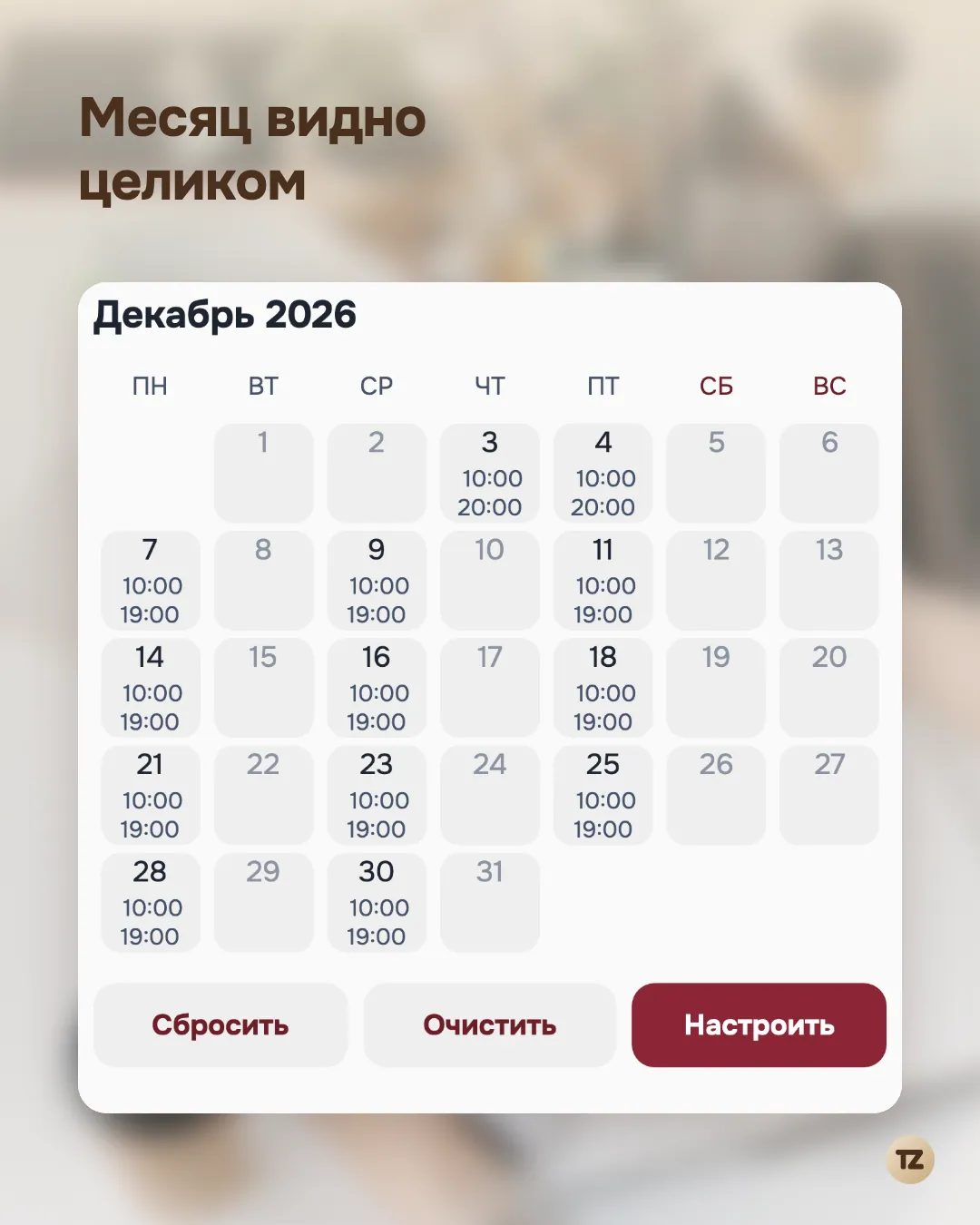
Past dates are there too: you can see whether a day was working or not — good for summaries and for peace of mind that it all adds up.
The break is part of the schedule
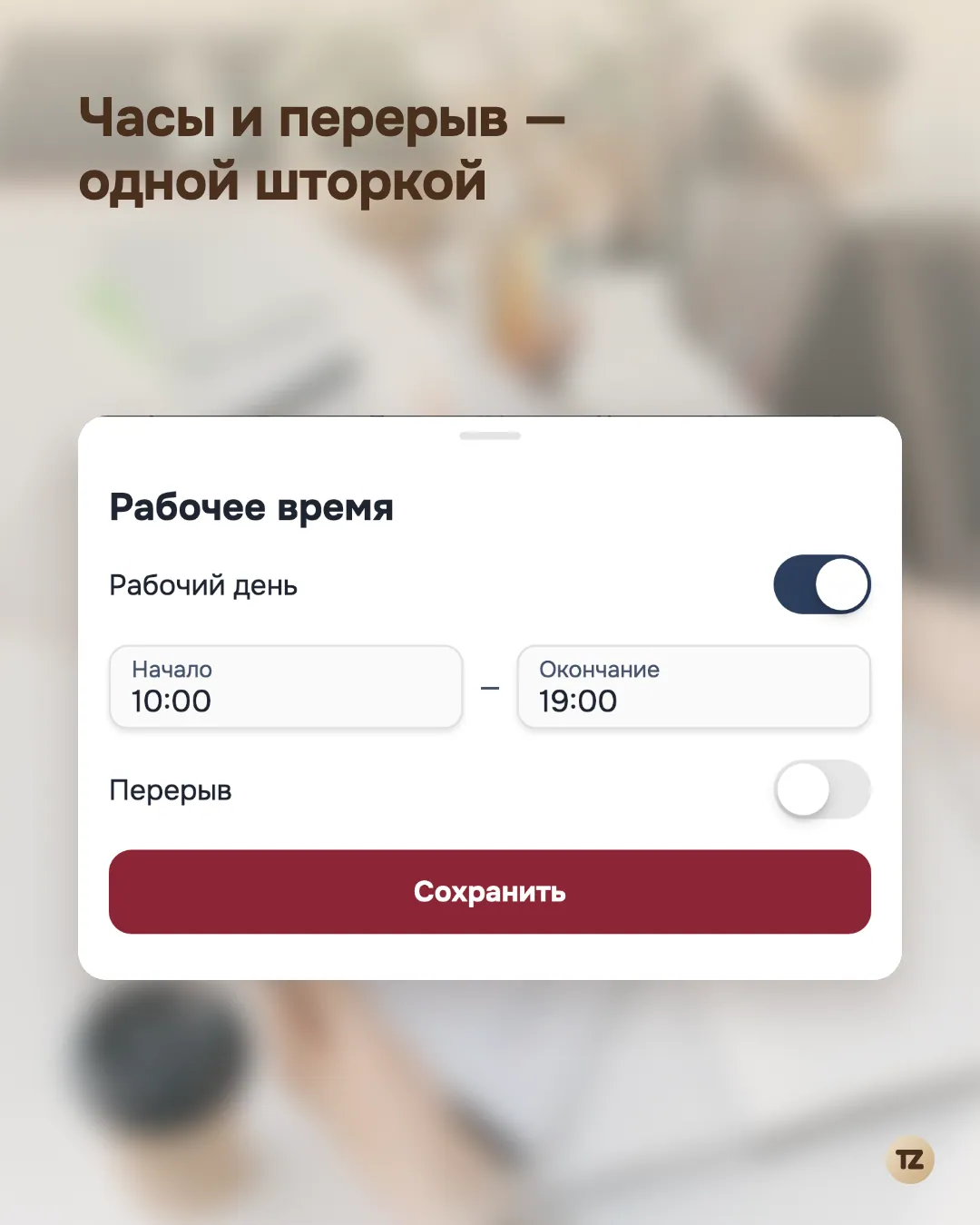
The break finally lives where the working hours live. Each date can have its own lunch — and clients cannot book into it. Online booking honestly skips the break, while you, as the master, can still book a client at any time — your call.
2/2 shifts and other uneven weeks
Once a date is set by itself, the shape of the week no longer constrains anything:
— 2/2 shifts or any other rhythm;
— partial days — two hours on a holiday Monday or a long Saturday;
— alternating weeks: one on the studio’s schedule, one on yours.
Dates with bookings are protected
The worst part of editing a schedule is accidentally wiping the hours where clients already sit. This is closed off: if a date has a confirmed booking that does not fit the new hours, that date is left unchanged — the app tells you so separately. Bookings that do fit do not get in the way.
Speaking of bookings in general — in “Booking rules: reschedules, cancellations, prepayment” we covered how to agree terms with clients up front.
When the schedule runs out
Dates are not infinite — and that is now part of the mechanics, not a surprise. When the schedule nears its end, the app warns you in advance (“Schedule is ending”); when the dates are gone, online booking turns itself off. Clients do not book into thin air, and you do not learn about it from a client.
Extending takes two minutes: top up the dates with the same filling tools as before.
What about the old schedule
Nothing to move. Your weekly schedule has already been unfolded into dates — from a year back to a year ahead, with your days off respected. Open the workplace calendar: it is all there, only now every date is yours.
In closing
A schedule should not be a rule you bend your life around. Clients see your description, services and prices on the master’s online booking page, and the booking link itself lives wherever suits you — in a bio or a messenger (“A booking link instead of a website”). The schedule is now as flexible as everything else: take the dates and do what you want with them.
The date-based schedule is already in the app — update Talenza and open the calendar for your workplace.