
A reminder that costs nothing
August 17, 2026
Screenshots show the Russian-language interface.
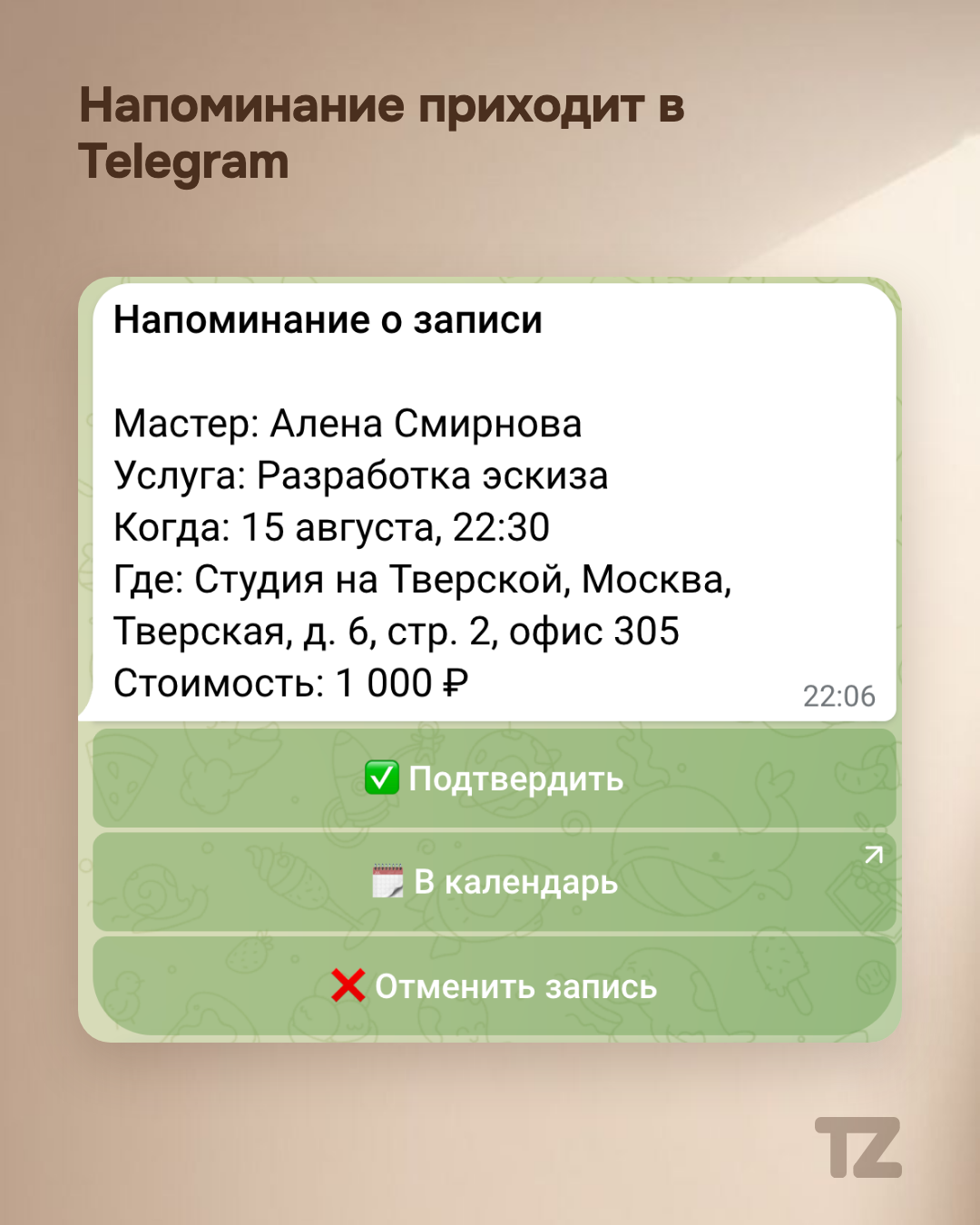
An SMS about a booking lands in the same list as bank codes and advertising mailings — and easily gets lost there. A client, on the other hand, opens a messenger themselves, many times a day. Talenza has a bot in Telegram, and it’s built precisely for that difference.
Connect once — it works for all bookings
The client connects the bot once: through the link from the pro’s card in the chat, or with the “Get notifications in Telegram” button right on their booking page. After that, reminders arrive in Telegram for all their bookings — including those the pro created from the dashboard, not only the ones the client booked online.
It’s a booking card, not a line of text
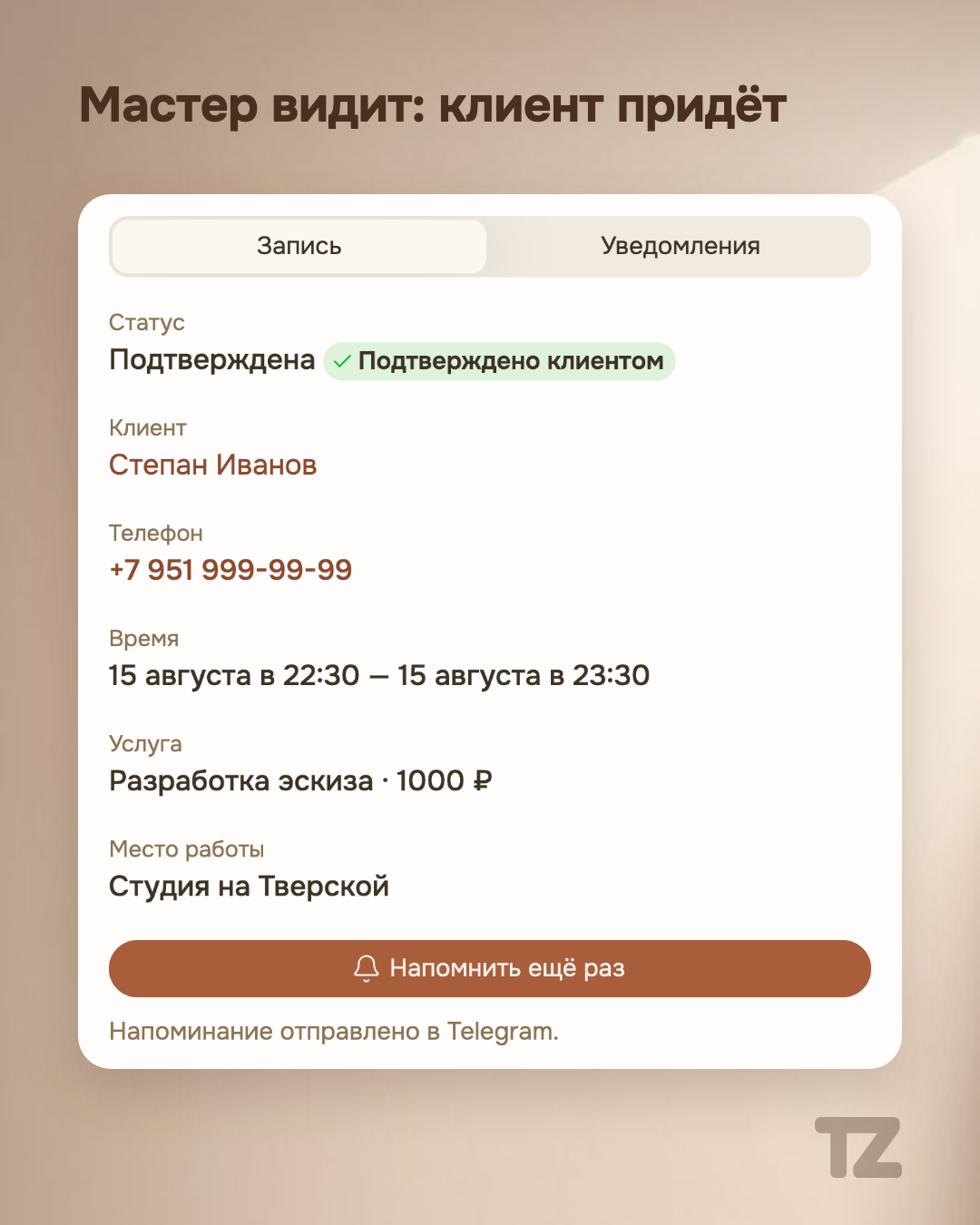
A reminder in the bot isn’t a bare message but a card: the service, the date and time, and under them the buttons “Confirm,” “Add to calendar,” and “Cancel booking.” The client responds with a tap on a button, not with a call or a message back to the pro. Confirmation works the way we’ve already described in the article about reminders and booking confirmation — only, in addition to the channel through the booking page, there’s now another one, right in the messenger.
SMS stays as a safety net, not replaced
If the client doesn’t have Telegram or the bot isn’t available to them, the notification isn’t lost — it goes out the old way, by SMS. Talenza doesn’t promise “SMS is no longer needed”: not all of a pro’s clients have Telegram, and switching to the backup channel is the system’s normal behavior, not a failure.
You can see who was notified how
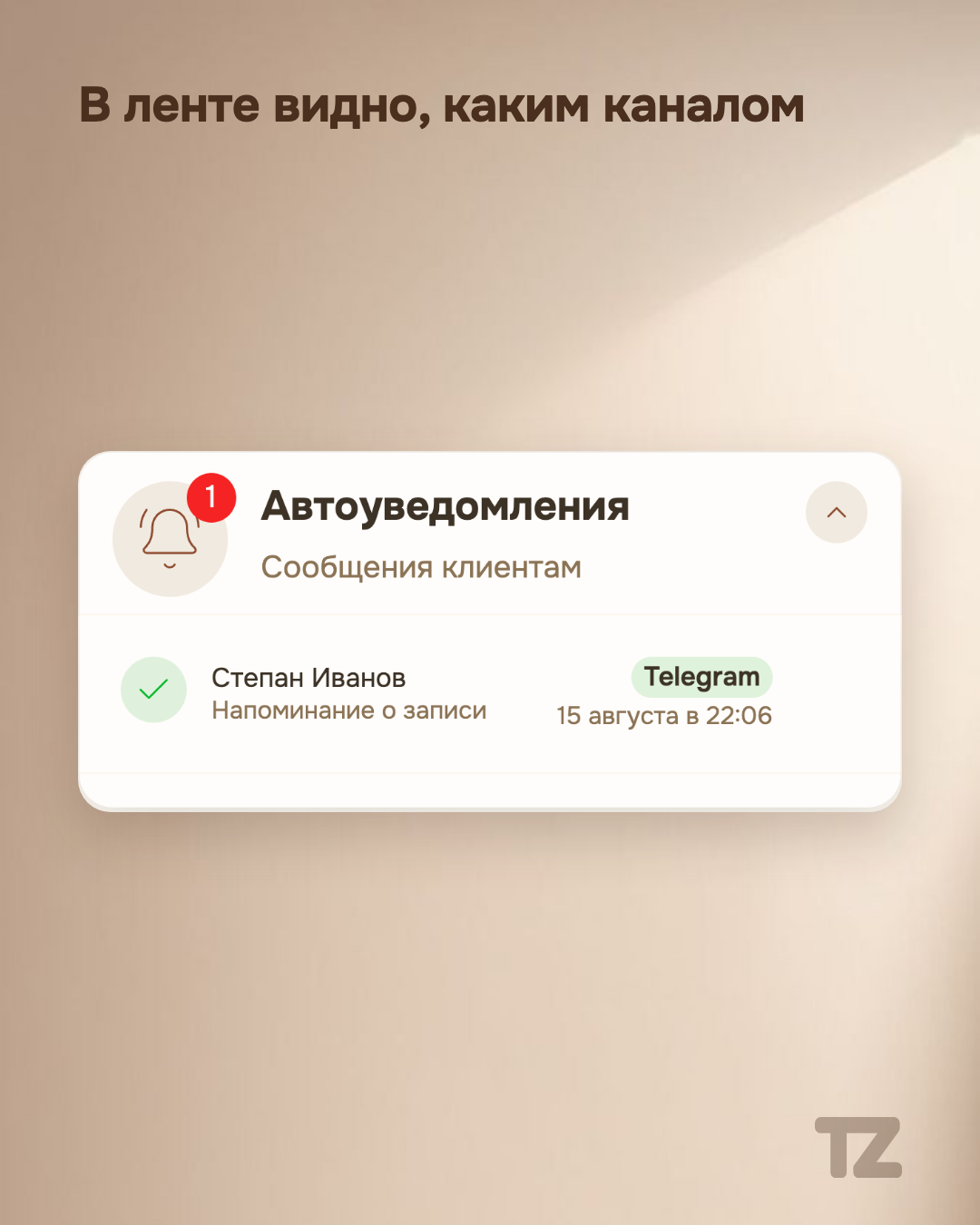
In the auto-notification feed on the pro’s home screen, each row is marked with the channel the client was notified through — Telegram or SMS. The pro doesn’t have to guess whether a reminder arrived and by what route: the feed shows it explicitly instead of leaving a blind spot between the two channels.
As a bonus — booking right in the chat
In the bot, the client can not only receive reminders but also book without leaving the conversation with the bot. It’s the same public page of the pro that opens by the usual link — just in a chat format, without a separate set of booking rules.
One result, two paths to it
From now on, a pro has two ways to keep a client informed about their booking: through the confirmation page by link and through the bot in Telegram. Both lead to the same thing — a client who knows about their booking and can react with one tap instead of a conversation.