
Booking and notifications in MAX: free and without SMS
November 7, 2026
Screenshots show the Russian-language interface.
New in Talenza: client notifications no longer go only to Telegram and SMS — they also go to MAX. That messenger has both regular chats and a bot platform; we connected it as a free notification channel, on by default first. Here is what changes for you as a master and what to do so clients start receiving messages in MAX.
Why another channel
SMS is still the most reliable way to reach a client who does not have a messenger at hand. But it is also the only paid channel: every automatic reminder is deducted from the balance, even if the client reads such messages once a week.
And only when neither free option works does paid SMS come in — the one line of expense we try not to reach.
The sending order is now this: free messengers first — MAX and Telegram — and only after that SMS. There are no duplicates: once a message is delivered on one channel, the rest are not tried. One exception: a client who booked through the Telegram bot gets the notification in Telegram first — in the messenger where they booked. We already covered channels and confirmations in the articles on Telegram reminders and booking confirmation.
What it takes for a client to get MAX notifications
Two things: notifications on for you, and the client connected to our bot in MAX.
You have one switch — “Auto-send to MAX” under “Settings” → “Client notifications”, next to the same Telegram switch. Per notification type, SMS and manual-send settings stay as they were.
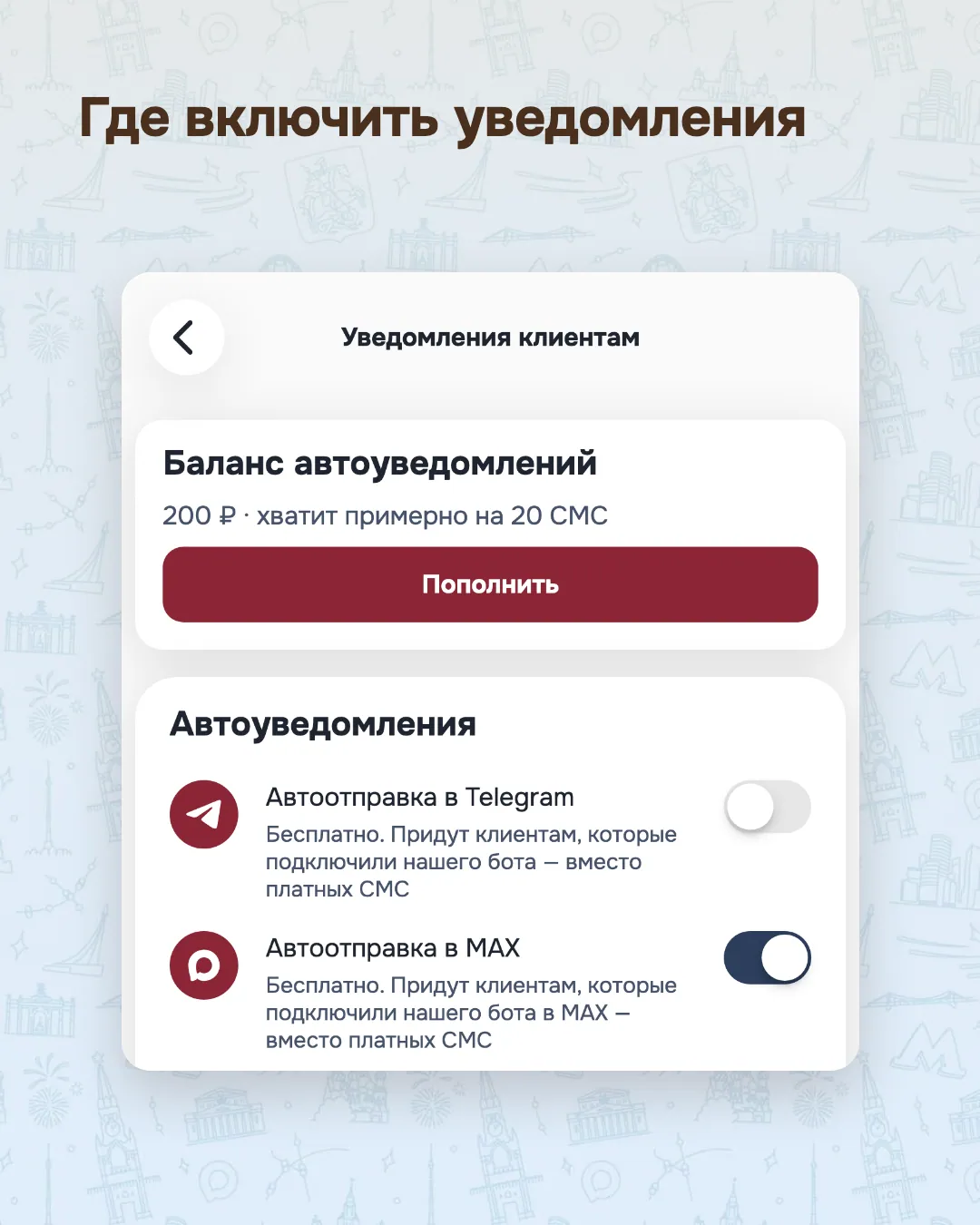
The client connects in two ways:
- books through MAX via your link or QR code — notifications start right away;
- or books on your public booking page and taps “Get notifications in MAX” on the last step.
The toggle is turned on once — the channel then runs itself. If the client is not on MAX yet but is active in Telegram, the Telegram bot keeps working, and SMS stays as the safety net.
What the client sees
Messages in MAX look the same as in Telegram: a booking reminder with date, time and link, an invitation to confirm or cancel. Reminders are free — nothing is deducted from the balance.
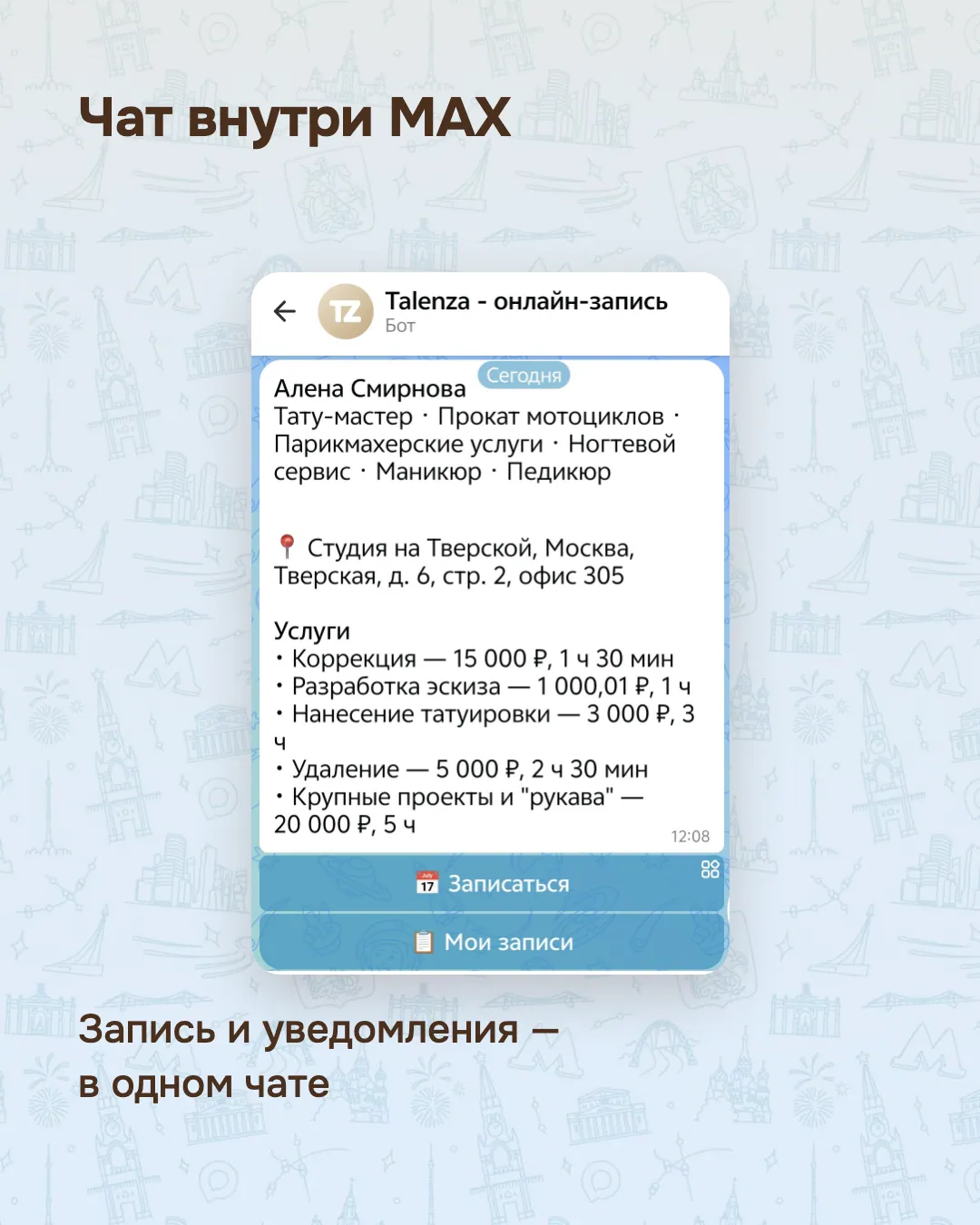
There is a second half: you can book with a master inside MAX. The “Book” button in the bot opens the booking form right in the chat — no browser jump. It is the same form as the normal booking page: services, open slots, studio rules. The phone number comes from the “Take number from MAX” button, so there is no SMS code to type.
Before the first notification
- Open “Settings” → “Client notifications” and turn on “Auto-send to MAX”.
- Hand out the invitation link or show the QR code — to clients who have not connected the bot yet.
- Check that nothing changed for your Telegram clients: the channel order stays the same and no duplicates appear.
After that it runs itself: the reminder goes wherever the client is reachable — and where delivery can be free, SMS is not needed.
Frequently asked questions
Do MAX notifications cost anything?
No. Messages in MAX are free and nothing is deducted from the balance — same as Telegram. Only automatic SMS remain paid.
What order are notifications sent in?
Free messengers are tried first — MAX by default, then Telegram — and only if the client is on neither channel does paid SMS go out. Whatever is delivered is not tried again: no duplicates.
How does a client connect the MAX bot?
They book through MAX via your link or QR code, or tap “Get notifications in MAX” on the last booking page. Then they share their phone number with one button in the bot — no SMS code needed.
«Занятия видны на неделю вперёд» — Игорь Р., репетитор
Start free