
Free slots are a reason to remind clients about yourself
October 7, 2026
Screenshots show the Russian-language interface.
Time has opened up in your schedule, and your clients do not know it. A booking was cancelled, a free day appeared, or a quiet season began. There is no need to wait for someone to book on their own: Talenza has “Free slots.” You pick a period, and the app collects the times when you are free, day by day. The result is a PDF card or a text for a messenger that you can send to clients in a minute.
Where to find it and what to choose
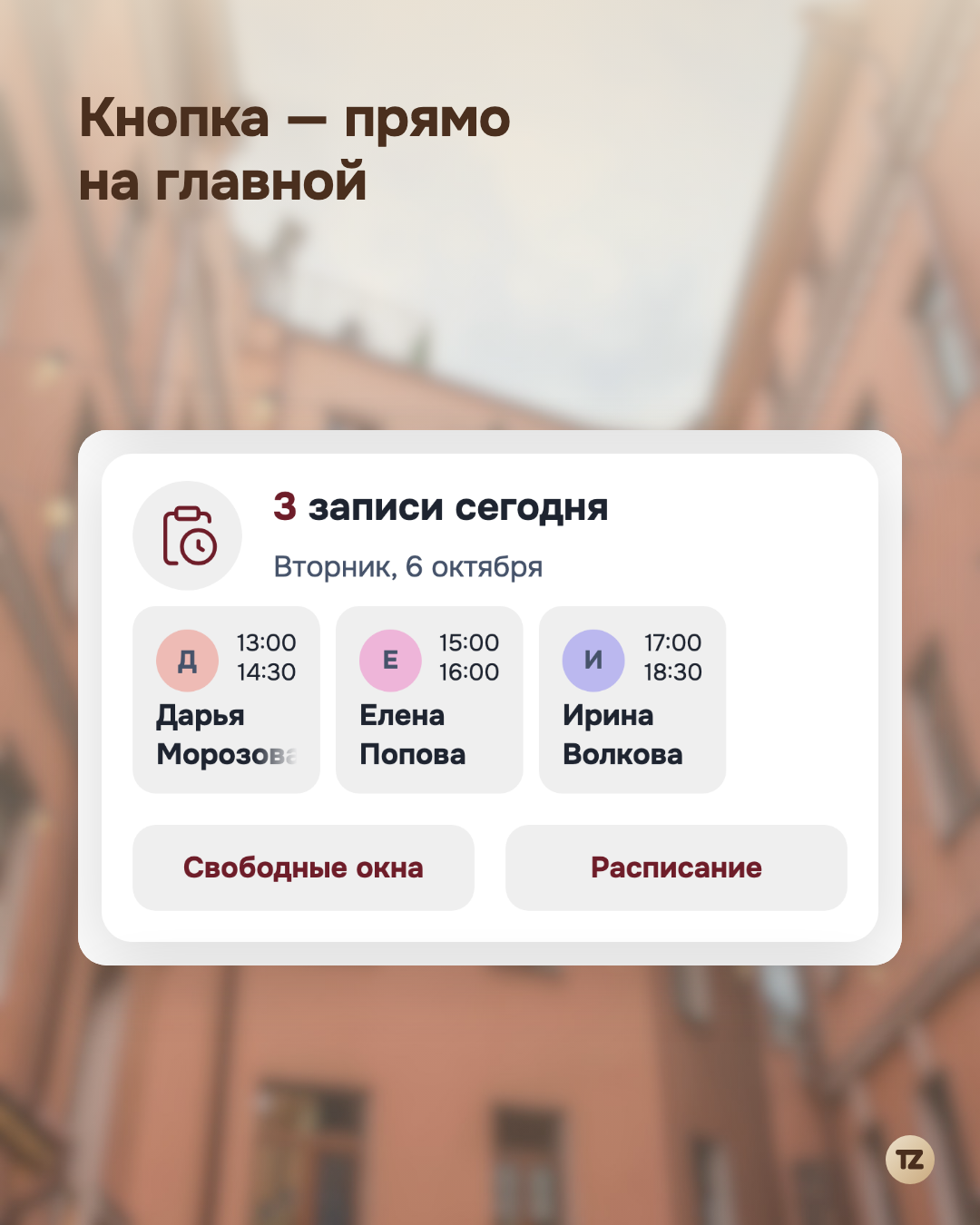
The “Free slots” button sits on the home screen, in the “Today’s bookings” card, next to the “Schedule” button. Press it and a separate screen opens.
First, choose a period. By default it is a week starting today, but you can take any span up to six months ahead. If you work in several places, choose the place too: slots are collected for each one separately.
What counts as free
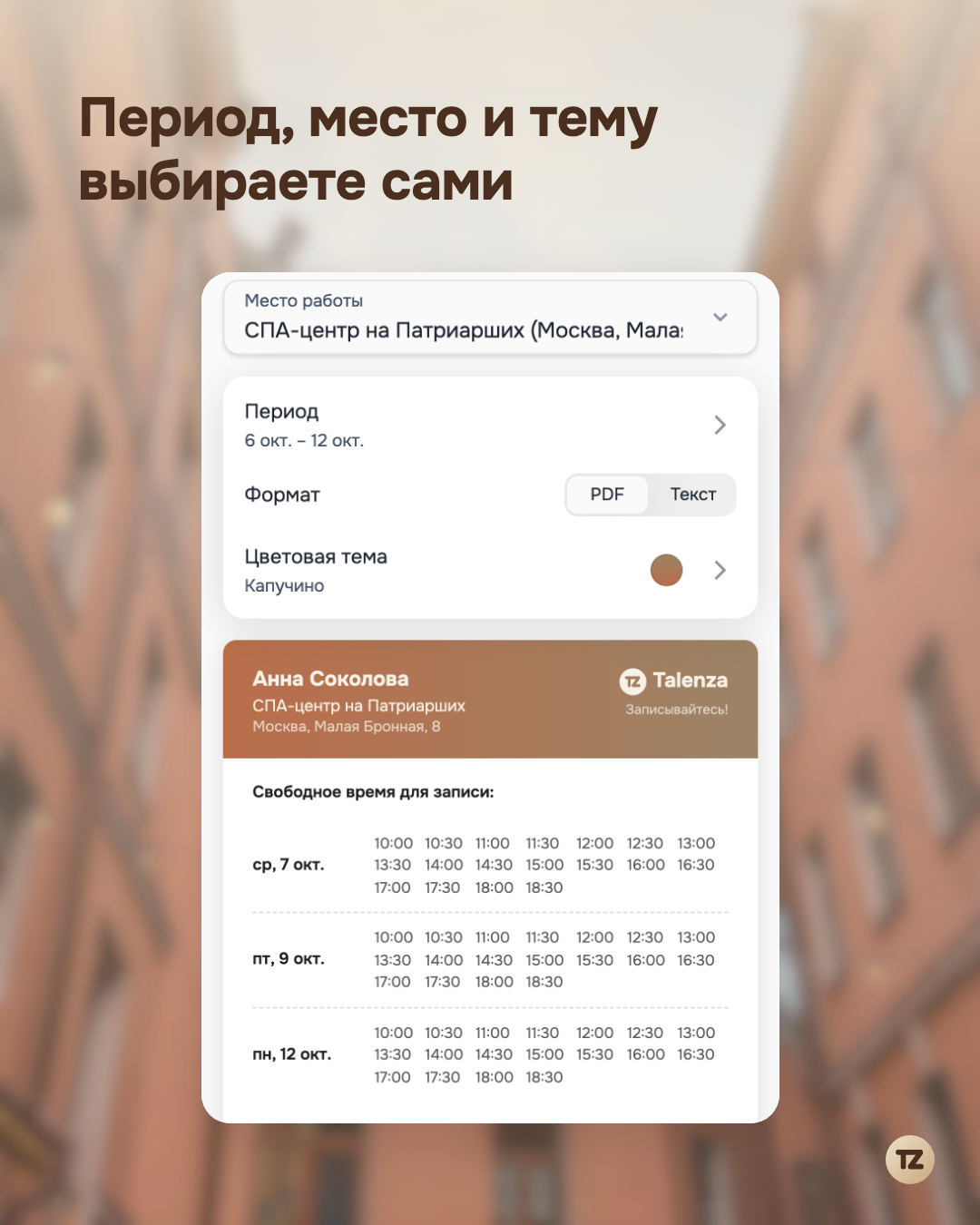
The app takes your schedule and subtracts everything that is already taken: client bookings, breaks after bookings, and days off. Time that has already passed does not make it into the card. Days with no free time are skipped too, so only the dates when someone can actually come remain.
Times are shown at the step you set in the booking settings. We do not fit them to a particular service: you show when you are free, and the client picks the service they need when they book. The booking page immediately shows whether it fits into the chosen slot.
A PDF card
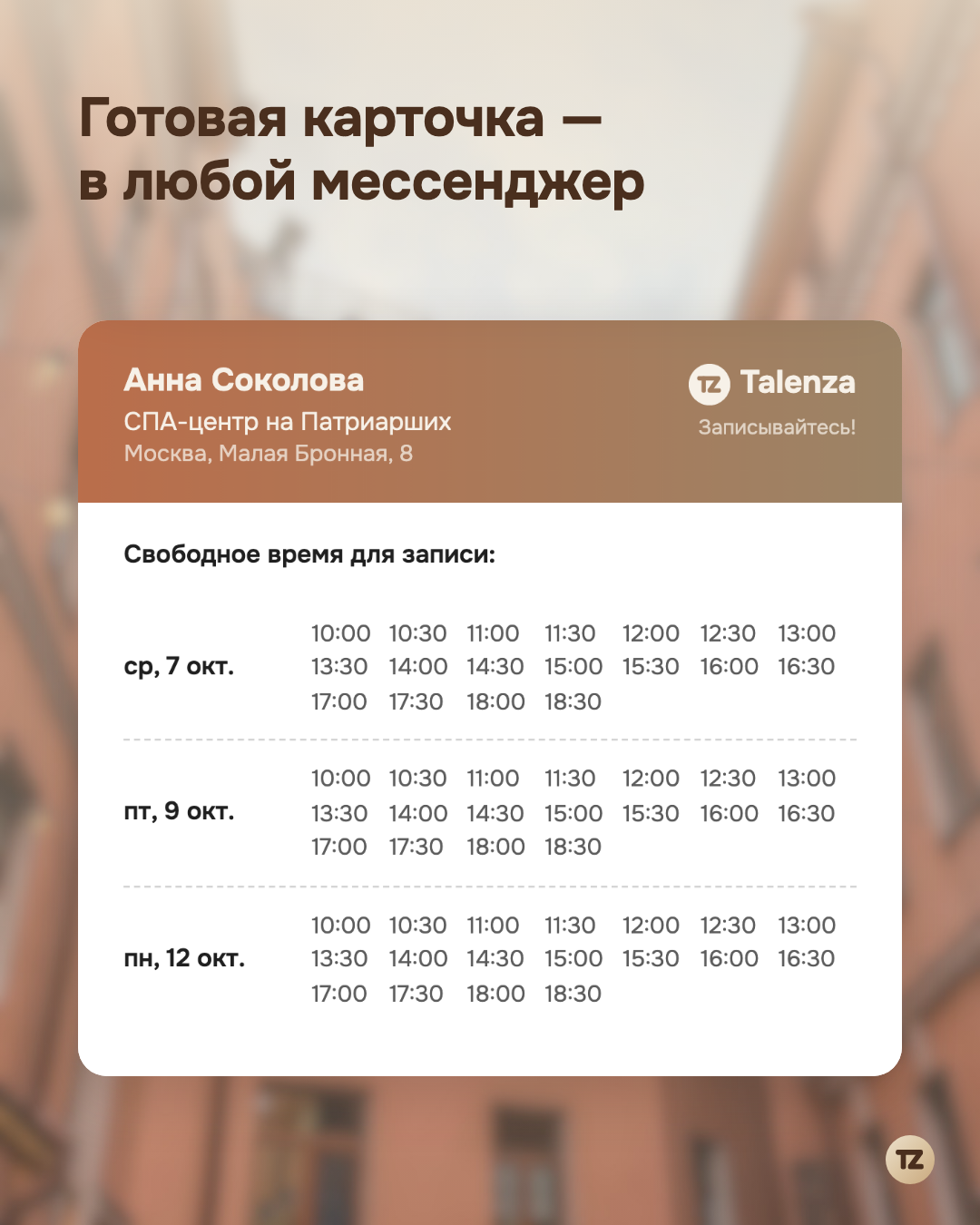
The first option is a PDF. At the top are your name, place of work, and address; below is the free time by day. You can style the card to your taste: the app has seven color themes, from the calm “Cappuccino” to “Graphite.” The theme you choose is remembered, so you will not have to look for it next time.
You can send the finished card right away with the “Share” button: the usual phone menu opens, and you pick a messenger or a social network. If you need to keep the file, press “Save.”
Or plain text
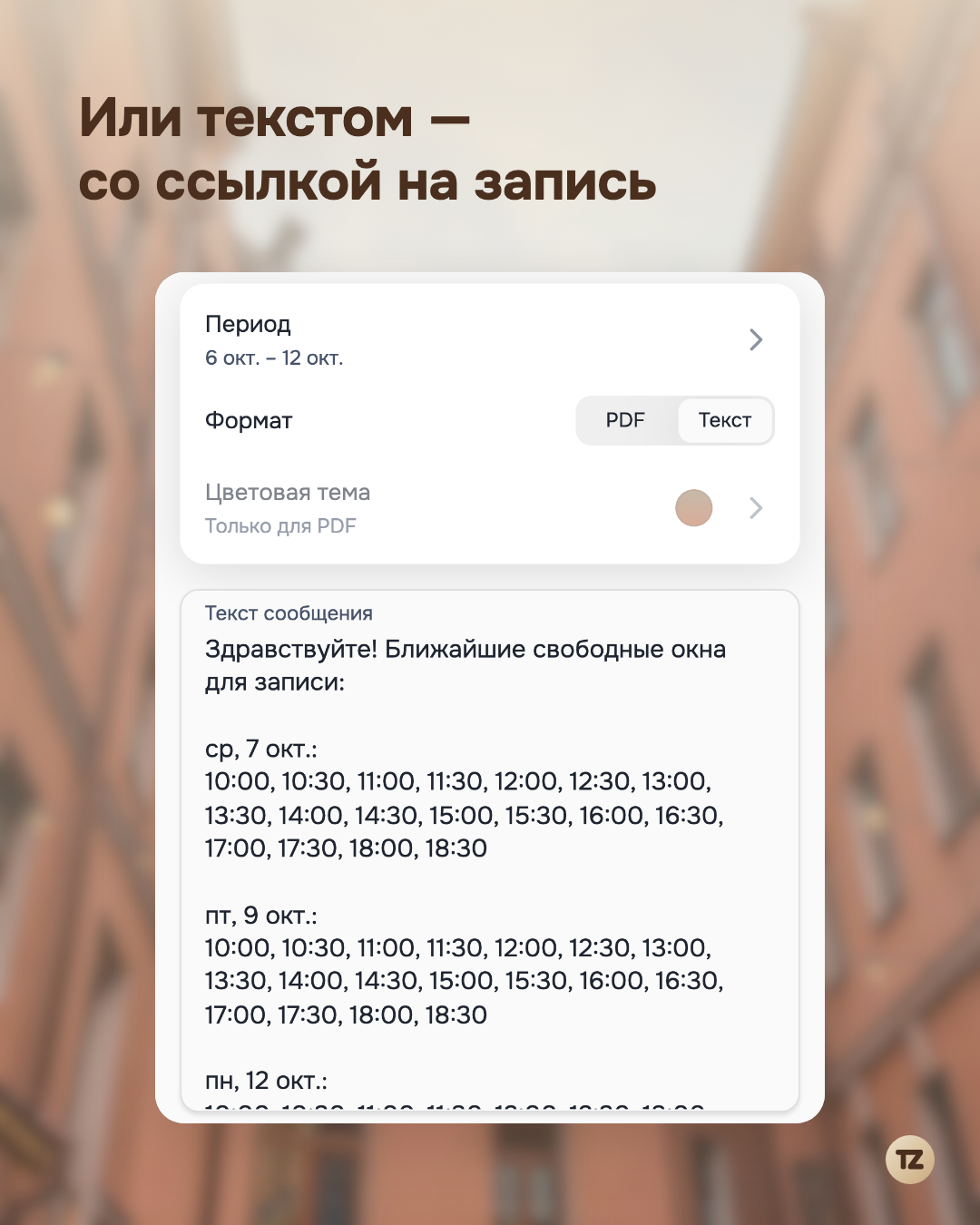
The second option is a text for a messenger. It starts with a greeting, then come blocks by day, and at the end is a link to your booking page: the client taps it and picks a time. You can edit the text right on the screen before sending. On a computer, where there is no system menu, the “Share” button copies the text to the clipboard.
When it comes in handy
For example, a booking was cancelled and you need to fill the freed time quickly: send the card to your regular clients. Or you have a whole day free next week: show it in your community or in a story. There is also the quiet season, when you want to remind people about yourself regularly: collect slots two weeks ahead and post them every few days.
We have no mass mailing: you decide whom to send it to and when. That is handy when you need to write to exactly the people you have already worked with, not to everyone at random. Reminders about an upcoming booking that go out on their own are a separate feature, and we wrote about it.
In short
“Free slots” help you remind instead of wait. Pick a period, press “Share,” and clients see when you are free. All of this is free and part of the regular app. Download Talenza: the “Free slots” button is waiting on the home screen, next to the schedule.